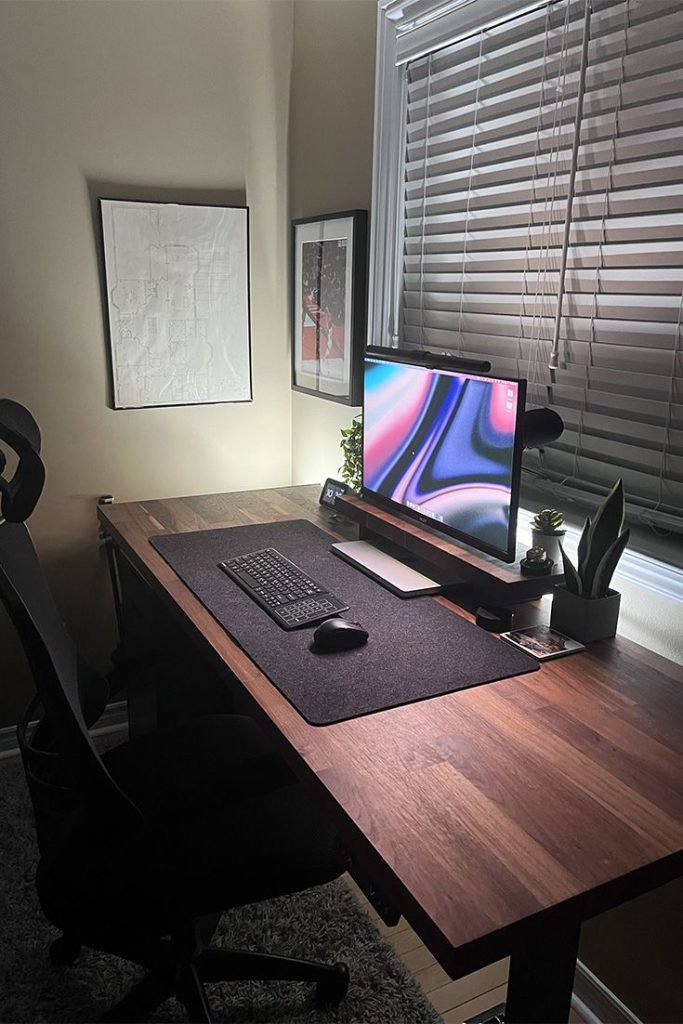
The “just work from your couch” advice sounds fine until about week three. Your back starts complaining. Your neck gets stiff. Your laptop fan is the loudest thing in the room, and your video calls look like you’re reporting from a cave lit by a single dying light bulb.
I set up my home office on a real budget last year and made plenty of avoidable mistakes. Bought a chair that looked fine but had no lumbar support. Balanced my laptop on a stack of books for months. Used my phone as a webcam until a client mentioned I looked like I was calling from a hostage situation.
None of that needs to happen. You can build a genuinely good home workspace for under $500 if you know what to buy and what to skip.
What this setup costs up front
| Category | Pick | Price |
|---|---|---|
| Desk | FlexiSpot EN1B Electric Standing Desk | $129.99 |
| Chair | Mimoglad Ergonomic Mesh Chair | $99.99 |
| Monitor | Philips 271V8LB 27-inch FHD | $89.99 |
| Webcam | Logitech C920x HD Pro | $69.99 |
| Headset | Logitech H390 USB Wired Headset | $24.99 |
| Lighting | Neewer 10-inch LED Ring Light | $25.99 |
| Total | $440.94 |
That leaves about $59 in buffer for a laptop stand, keyboard, or a mouse pad. More on those at the end.
The desk: stop hunching over a kitchen table
A lot of people go into their first home office setup thinking the desk doesn’t matter much. It does. You’ll spend most of your day in front of it, and a surface that’s too low or too high wears you out faster than a bad chair.
What to look for at this price: a surface of at least 40×24 inches, adjustable legs, and something that doesn’t wobble when you type hard.
Pick: FlexiSpot EN1B Electric Standing Desk at $129.99
This is an electric sit-stand desk for under $130, which would have been a surprising price a few years ago. The EN1B has a 40×24 inch top, a single electric motor, and holds up to 165 lbs. The motor runs quietly under 50dB. Four programmable height presets mean you hit a button instead of fiddling with levers. Assembly is straightforward and takes about 30-40 minutes.
If you want a full 48-inch surface, FlexiSpot sells larger versions for around $150 to $160. But for most people working from a bedroom or spare room, the compact EN1B works fine.
The standing function is worth using even if you only stand for 30 minutes a day. It makes a real difference once you build the habit.
The chair: your back will thank you in six months
I spent three months on a $45 no-name chair from a liquidation sale. My lower back aged about ten years. Do not do this.
You don’t need to spend $400 on a Herman Miller to have a chair that gets you through a workday. You do need adjustable seat height, some kind of lumbar support, and a breathable back. Everything else is a bonus.
Pick: Mimoglad Ergonomic Mesh Chair at $99.99
The Mimoglad hits all the basics without packing on features you’ll never adjust. The mesh back keeps air moving (important in the summer), and the lumbar pillow is removable and adjustable via straps on the backrest, so you can position it at the exact height your lower back needs. The backrest reaches to around shoulder blade level, which is taller than most chairs at this price. 250 lb weight capacity. Reclines smoothly from 90 to 135 degrees and locks at multiple positions.
It won’t last as long as a Steelcase. That’s a fair tradeoff at $100, and it comes with an 18-month warranty in case anything goes wrong early.
The monitor: your laptop screen alone won’t cut it
Working on a single laptop screen all day is a productivity drain. Adding an external monitor, even a modest one, gives you room to keep a reference document open on one side and your actual work on the other. Eye strain drops too, because you’re looking at something at proper desk height instead of craning down at a laptop lid.
What to look for: 24 to 27 inches, 1080p minimum, IPS panel for decent viewing angles, and HDMI connectivity.
Pick: Philips 271V8LB 27-inch FHD Monitor at $89.99
For under $90, the Philips 271V8LB is hard to argue with. Full HD 1920×1080, 100Hz refresh rate, IPS panel, and both HDMI and VGA ports so it connects to almost anything. Philips built in Low Blue Light mode and flicker-free technology, which matters after several hours at the desk. The standout feature is the 4-year advance replacement warranty, which is something you rarely see at this price and is not marketing fluff. If the monitor dies in year two, Philips ships you a replacement.
Over 4,000 Amazon reviews at 4.5 stars. It has been a bestseller in its category for a reason.
The webcam: stop using your laptop camera
Built-in laptop webcams are a study in how hardware companies cut costs where buyers won’t notice until they’re already in a call. Most are 720p at best, with no autofocus and a sensor that falls apart in any room without strong natural light.
A decent external webcam changes how you come across in meetings. It sounds minor until your manager or client can actually see your face clearly without squinting at a blurry thumbnail.
Pick: Logitech C920x HD Pro Webcam at $69.99
The C920x is the webcam most home office workers should buy. It has been the standard recommendation for years because Logitech has kept the price reasonable and kept it working with every major platform. 1080p at 30fps, dual built-in stereo mics, autofocus, automatic light correction, and a clip that fits monitors of any thickness.
It works with Zoom, Teams, Google Meet, and everything else without any driver installation. Plug in and start a call.
At $69.99, it is not cheap for what looks like a small peripheral. But the quality difference over a built-in laptop camera is noticeable from the first call, and this unit will still be working fine three years from now.
The headset: clear audio matters as much as your video
Your audio quality on calls matters at least as much as your video quality, possibly more. People will forgive a slightly grainy picture. They won’t stay patient with someone who’s hard to hear or sounds like they’re calling from a tunnel.
Pick: Logitech H390 USB Wired Headset at $24.99
At $25, the H390 is the rare product that punches well above its price. It has over 73,000 reviews on Amazon at 4.3 stars. That’s sustained satisfaction from contact center workers, remote employees, and freelancers who come back to buy replacements when theirs finally wears out.
The noise-canceling boom mic is adjustable and flips out of the way when you’re not on a call. Inline controls let you mute or adjust volume without touching your computer. It connects via USB-A and works on any platform without software installation. Simple, reliable, and it just works.
If you want wireless or something with better audio for music as well as calls, the Jabra Evolve2 40 and the Anker Soundcore Q20s both run around $50 to $60. But for pure call quality per dollar spent, the H390 is the pick.
The lighting: the easiest thing to skip that you’ll immediately regret
Good lighting makes you look professional on calls without any effort. Bad lighting makes you look like you’re calling from a basement, regardless of how nice everything else is.
You don’t need a complicated setup. One decent light source positioned in front of your face is all it takes.
Pick: Neewer 10-inch LED Ring Light with Tripod Stand at $25.99
The Neewer 10-inch ring light is a desk-sized unit with a small tripod stand and a phone holder included. You position it behind your monitor so the ring faces you, and that is the entire setup. Brightness is adjustable in 10 steps. Three color modes cover warm, cool, and mixed daylight tones. It runs on USB so it plugs into your laptop or any USB wall charger.
It will not replace a professional lighting rig. It does not need to. It gives your face even, shadow-free light that looks natural on camera, and it takes about two minutes to configure.
Total cost
- FlexiSpot EN1B Electric Standing Desk: $129.99
- Mimoglad Ergonomic Mesh Chair: $99.99
- Philips 271V8LB 27-inch Monitor: $89.99
- Logitech C920x HD Pro Webcam: $69.99
- Logitech H390 USB Headset: $24.99
- Neewer 10-inch LED Ring Light: $25.99
Total: $440.94
Bonus picks if you have the remaining $59
Laptop stand: Lamicall S1 Adjustable Laptop Stand at $25.99
If you’re using a laptop alongside your external monitor, propping the laptop up brings the screen to eye level and frees up desk surface. The Lamicall S1 is aluminum, adjustable to six height settings, and folds flat for transport. Worth it.
Keyboard and mouse: Logitech MK270 Wireless Combo at $21.48
If your laptop is on a stand, you need an external keyboard and mouse. The MK270 uses a single USB receiver for both devices, runs on AA batteries that last about two years, and costs next to nothing. It is not fancy. It works.
Honest tradeoffs
This setup is built for budget. Some things were traded to get there.
The FlexiSpot EN1B has a 40×24 inch surface. That is workable for one monitor and a laptop but tight if you want more room to spread out. The larger 48-inch version costs about $20 more and is worth considering if space is not an issue.
The Mimoglad chair is good for four to six hours a day. If you’re doing full 8-10 hour days regularly, you’d benefit from putting more money into the chair. The Sihoo M57 at around $240 is a solid step up. The savings you make on the monitor and ring light could partially offset that if you want to reallocate.
The Philips monitor does not come with a height-adjustable stand. The included stand tilts but does not raise or lower. If you care about precise ergonomics, pair it with a $15-20 monitor riser or a basic arm. That is not included in the budget above.
The Logitech H390 is wired. That is not a problem for most desk setups, but if you pace around on calls, the Jabra Evolve2 40 at around $55 wireless is worth the upgrade.
None of these are dealbreakers. They’re just things to know before you buy.
Shop the full setup on Amazon
FlexiSpot EN1B Desk | Mimoglad Ergonomic Chair | Philips 271V8LB Monitor | Logitech C920x Webcam | Logitech H390 Headset | Neewer Ring Light | Lamicall Laptop Stand | Logitech MK270 Keyboard + Mouse
Affiliate disclosure: This article contains affiliate links. If you click through and purchase, WorkRemote HQ may earn a commission at no extra cost to you. All opinions are based on honest research and assessment.