Getting paid should be the easy part of freelancing. But if you’ve ever sent an invoice as a Word doc, waited 45 days for a check, or lost track of who owes you what, you already know that invoicing is where a lot of freelancers quietly lose money.
The good news: there are legitimately free invoicing tools built for exactly this. No accounting degree required, no $50/month subscription, and no chasing clients with spreadsheets.
These are the tools worth your time, what they’re actually good at, and where they fall short.
What to look for in free invoicing software
Here’s what actually matters for freelancers before getting into the tools:
- Ease of use – You’re not an accountant. It should take minutes, not hours.
- Professional-looking invoices – Clients judge you by how polished your invoice looks.
- Payment tracking – You need to know who’s paid, who hasn’t, and who’s overdue.
- Online payment options – The faster a client can pay you, the faster you get paid.
- An honest free tier – Some tools call themselves “free” but lock the important stuff behind a paywall. We’ll call those out.
The best free invoicing tools for freelancers
1. Wave – Best overall free invoicing
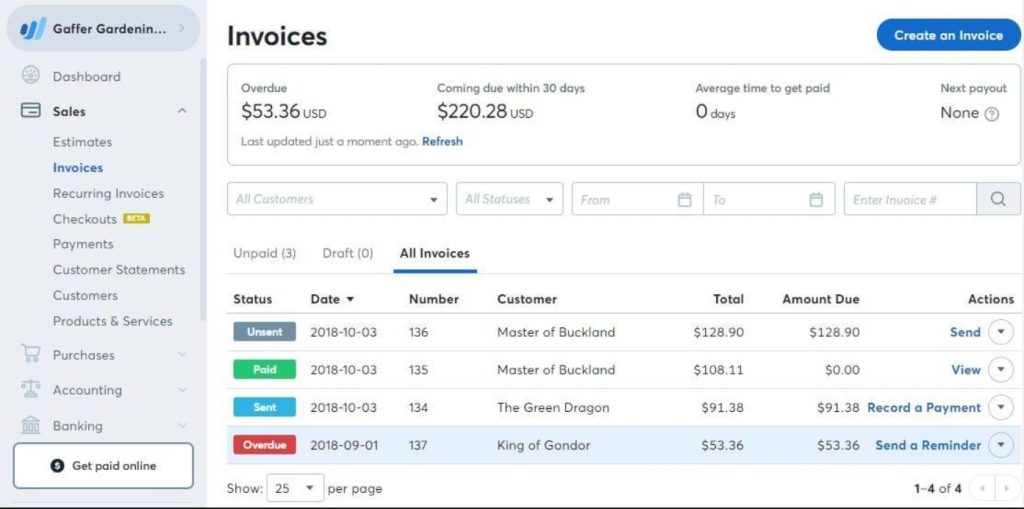
Free tier: Unlimited invoices, unlimited clients, unlimited estimates – free forever.
Wave is what most freelancers land on when they want real invoicing software without paying for it. Unlike a lot of tools that cap you at 5 invoices per month on the free plan, Wave gives you unlimited everything with no time limit.
What you get for free:
– Unlimited invoices and clients
– Customizable invoice templates with your logo and branding
– Automatic payment reminders (it nags your clients so you don’t have to)
– Basic income and expense tracking
– Multi-currency support
What costs money:
– Payment processing (1% for bank transfers, 2.9% + $0.60 for credit cards – standard rates)
– Payroll (only relevant if you have employees)
Best for: Freelancers who want a long-term free solution and don’t mind small processing fees when clients pay by card.
The catch: Wave’s mobile app is decent but not great. If you work mostly from your phone, it’s not the smoothest experience.
2. Invoice Ninja – Best for power users and retainer clients
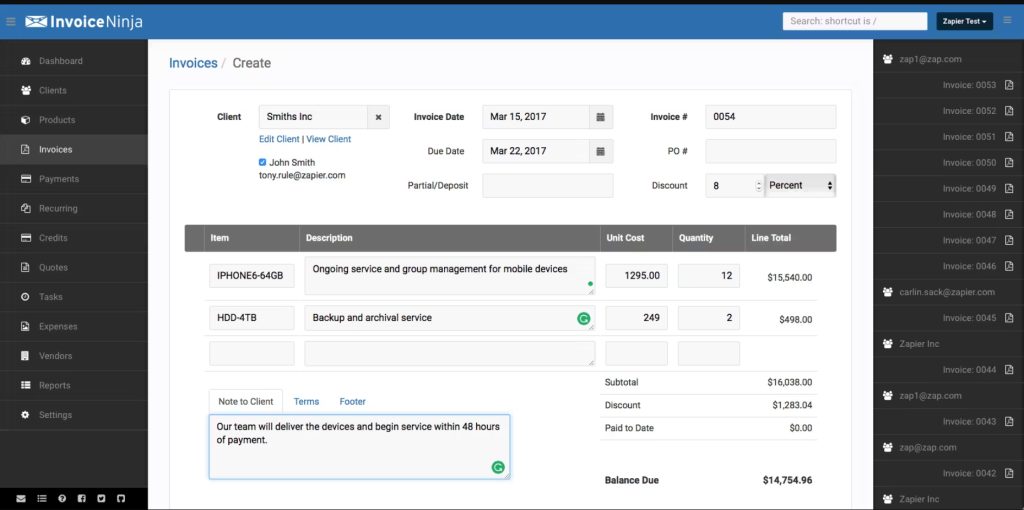
Free tier: Up to 20 clients, free forever (paid plan removes the limit).
Invoice Ninja is what freelancers reach for when they’ve outgrown the basics. It’s open-source, built by developers who actually use invoicing software, and it shows in the features.
What you get for free:
– Up to 20 clients
– Professional invoice and quote templates
– Recurring invoices (set it up once for retainer clients, forget about it)
– Time tracking built in
– Expense tracking
– Client portal (clients can log in and view their invoices themselves)
What costs money:
– More than 20 clients requires a paid plan (~$10/month)
– Some advanced automation features
Best for: Freelancers with retainer clients or anyone doing project-based billing who needs recurring invoices running on their own.
The catch: The interface has a learning curve. It’s not as clean as Wave on first login. Once you set it up though, it’s genuinely powerful.
3. Zoho Invoice – Most features for free
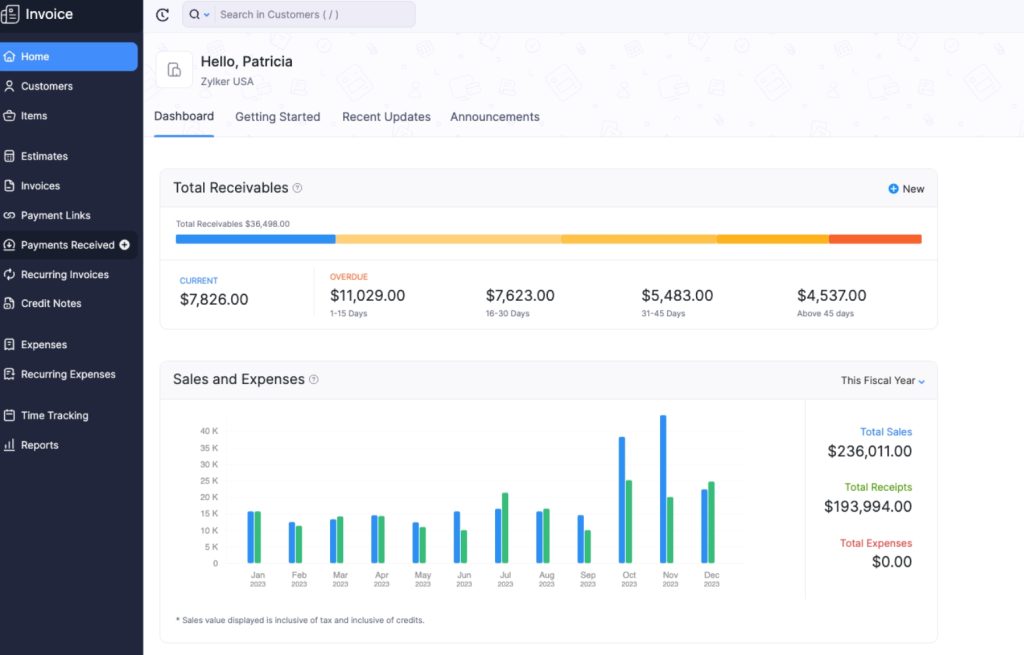
Free tier: Completely free – Zoho made their invoicing tool 100% free in 2021 and hasn’t changed that.
Zoho Invoice used to be a paid product. At some point Zoho just made the whole thing free, which means you’re getting what was a premium product at no cost. It’s probably the most overlooked option on this list.
What you get for free:
– Unlimited invoices and clients
– Time tracking and project billing
– Expense tracking with receipt scanning
– Customer portal
– Automated payment reminders
– Multi-currency and multi-language invoices
– Mobile app for iOS and Android (genuinely good)
What costs money:
– Nothing. It’s fully free.
Best for: Freelancers who want the most features without paying, especially if you work with international clients.
The catch: Zoho has a big product ecosystem and the app will occasionally nudge you toward Zoho Books or other Zoho tools. Easy enough to ignore, but worth knowing upfront.
4. PayPal Invoicing – Best if your clients already use PayPal
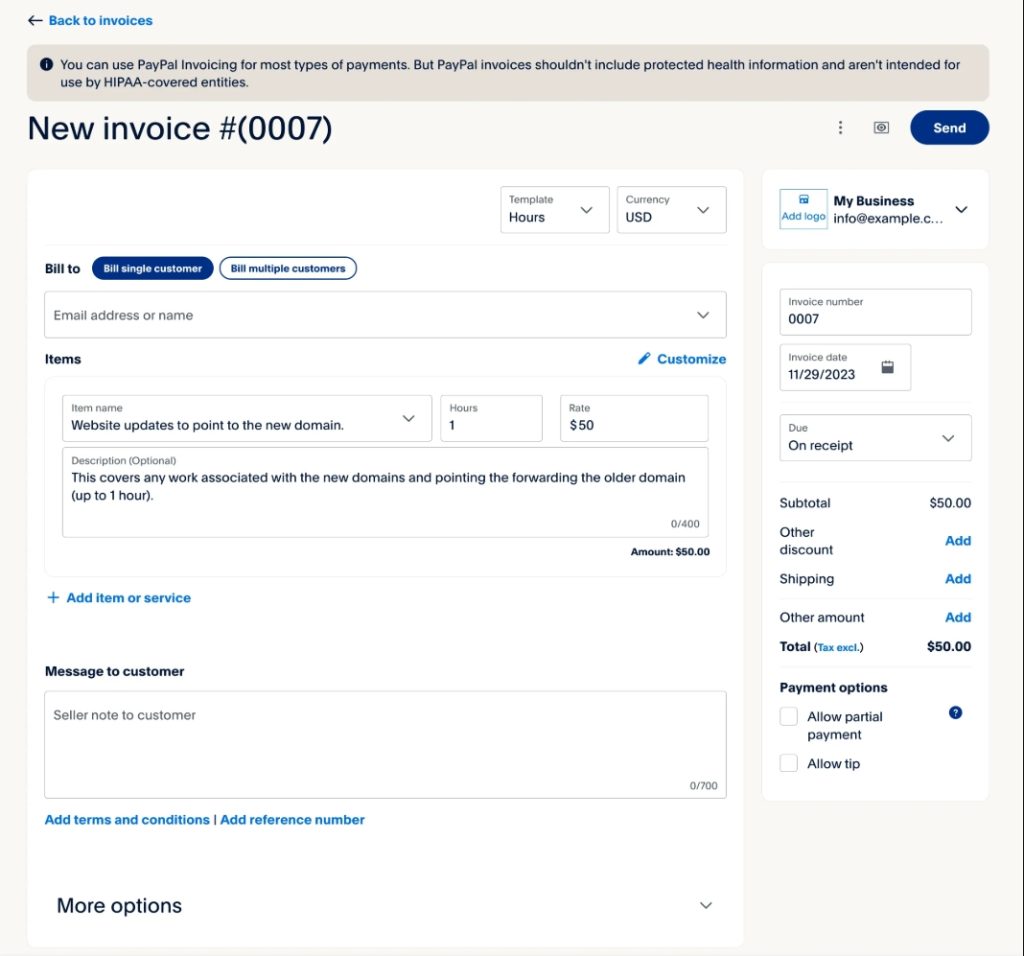
Free tier: Free to create and send invoices.
Almost every freelancer already has a PayPal account. Most don’t realize PayPal has a built-in invoicing tool, and it’s free to use.
What you get for free:
– Professional invoice creation and sending
– Payment tracking
– Partial payment support
– Automatic payment confirmation emails
What costs money:
– Processing fee when clients pay (3.49% + $0.49 per transaction for goods/services)
Best for: Freelancers whose clients are already comfortable with PayPal, or anyone who wants the simplest setup with no new accounts to create.
The catch: PayPal invoicing is basic. It works fine, but it won’t impress a corporate client. Those fees also add up fast on large invoices.
5. FreshBooks – Best if you plan to scale (not free, but worth knowing about)
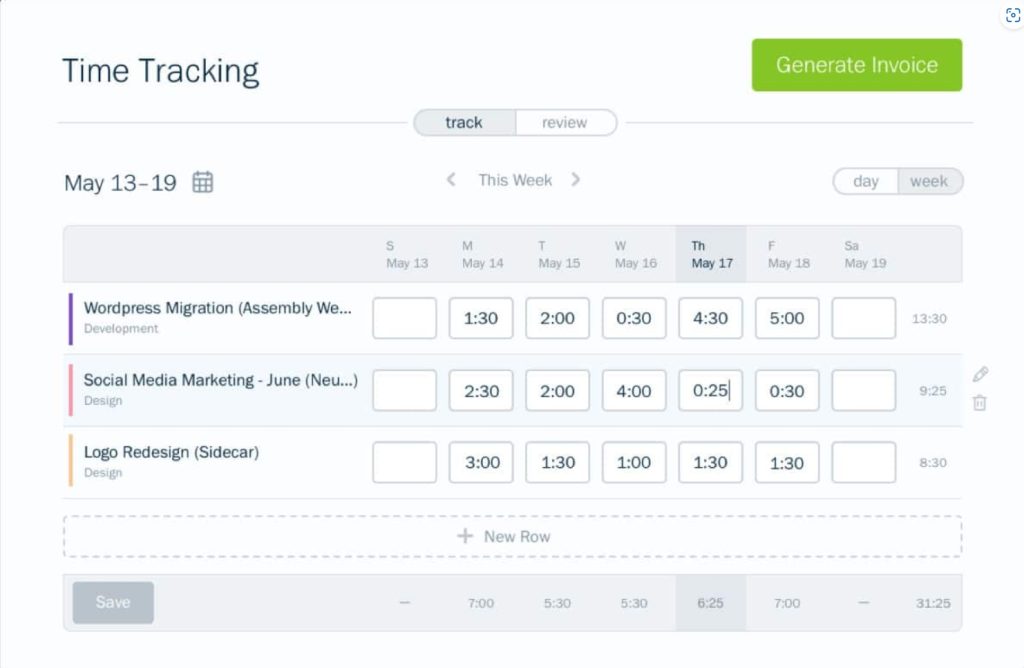
Free tier: 30-day trial, then starts at ~$19/month.
FreshBooks is not free, but it’s one of the most consistently well-reviewed invoicing tools for freelancers. If your business is growing, it’s worth knowing it exists.
Why freelancers like it:
– Very clean, professional interface
– Late payment reminders that don’t feel pushy
– Built-in time tracking
– Expense tracking with receipt scanning
– Good mobile app
– Client retainer management
Honest take: FreshBooks is a paid product. The 30-day trial is legit with no credit card required. If you’re just starting out, go with Wave or Zoho Invoice first. Come back to FreshBooks when you’re billing enough that $19/month doesn’t feel like a thing.
Quick comparison
| Tool | Free tier limit | Best for | Online payments | Mobile app |
|---|---|---|---|---|
| Wave | Unlimited | Best overall free | Yes (processing fee) | Good |
| Invoice Ninja | Up to 20 clients | Power users, retainers | Yes | Very good |
| Zoho Invoice | Unlimited | Most features, international | Yes | Excellent |
| PayPal Invoicing | Unlimited | PayPal users | Yes | Good |
| FreshBooks | 30-day trial | Scaling freelancers | Yes | Excellent |
Which one should you pick?
Just starting out – go with Wave or Zoho Invoice. Both are unlimited and free forever. Wave is easier to set up. Zoho has more features. You can’t go wrong with either.
You have retainer clients – go with Invoice Ninja. The recurring invoice feature alone saves hours every month. Set it up once and it handles itself.
Your clients all use PayPal anyway – just use PayPal Invoicing. No need to make it more complicated than it is.
You’re billing $3,000+ a month and growing – look at FreshBooks. At that point $19/month is nothing compared to the time it saves.
Why freelancers really don’t get paid on time
The tool isn’t why you get paid late. Not following up is.
Every tool on this list has automatic payment reminders. Turn them on. A reminder at 7 days, 14 days, and 30 days overdue does more for your cash flow than any invoice template.
Also, make it easy for clients to pay. Every extra step between “I got your invoice” and “I clicked pay” is another day you’re waiting. Tools that accept credit cards, ACH transfers, and PayPal get paid faster than PDF invoices sent by email.
Bottom line
My top pick is Zoho Invoice. Fully free, no limits, good mobile app, handles time tracking and international invoicing without charging you anything.
Runner-up: Wave. Dead simple, zero setup friction, up and running in under 10 minutes.
Stop sending Word docs. Pick one, send your first real invoice today.
Have you tried any of these? Drop a comment below and let me know what’s working for you.