When I first went full-time remote, I had a problem I kept ignoring. My passwords were a mess: a recycled base password with numbers tacked on the end, a few sticky notes I photographed with my phone, and a browser-saved list I somehow trusted more than I should have. Then a client’s Slack workspace got compromised. Not mine personally. But close enough to wake me up.
I spent about two weeks actually testing password managers before committing to one. I looked at ease of use across devices, how they handle shared credentials with clients, pricing for solo freelancers versus small teams, and whether the free tiers were genuinely usable or just bait.
Here’s the short version if you’re in a hurry: 1Password is the winner for most remote workers. It’s not the cheapest, but it’s the most polished experience across every device I use, the travel mode feature alone is worth it if you cross borders for work, and the team-sharing tools are genuinely practical. Try 1Password
If budget is tight and you’re comfortable with a slightly steeper setup, NordPass is a solid second. Check NordPass pricing
Now the longer version.
Why password security actually matters more when you work remotely
Office workers use one network, one machine, often one IT department watching over everything. Remote workers are different. You’re on your home network, then a coffee shop, then a hotel, then your phone’s hotspot. You’re logging into client tools, project management platforms, invoicing software, communication apps, and cloud storage services, often on the same afternoon.
That creates more attack surface. More login points, more devices storing credentials, more chances to reuse a password out of habit. And when you’re a freelancer or contractor, there’s no IT person to call. You are the IT person.
A password manager solves this in a straightforward way: it generates a unique, random password for every login, stores it encrypted, and fills it in automatically wherever you are. You remember one strong master password. Everything else gets handled.
The better ones also give you secure notes for storing API keys, credit card numbers, and software licenses. For freelancers especially, that alone justifies the cost.
1Password
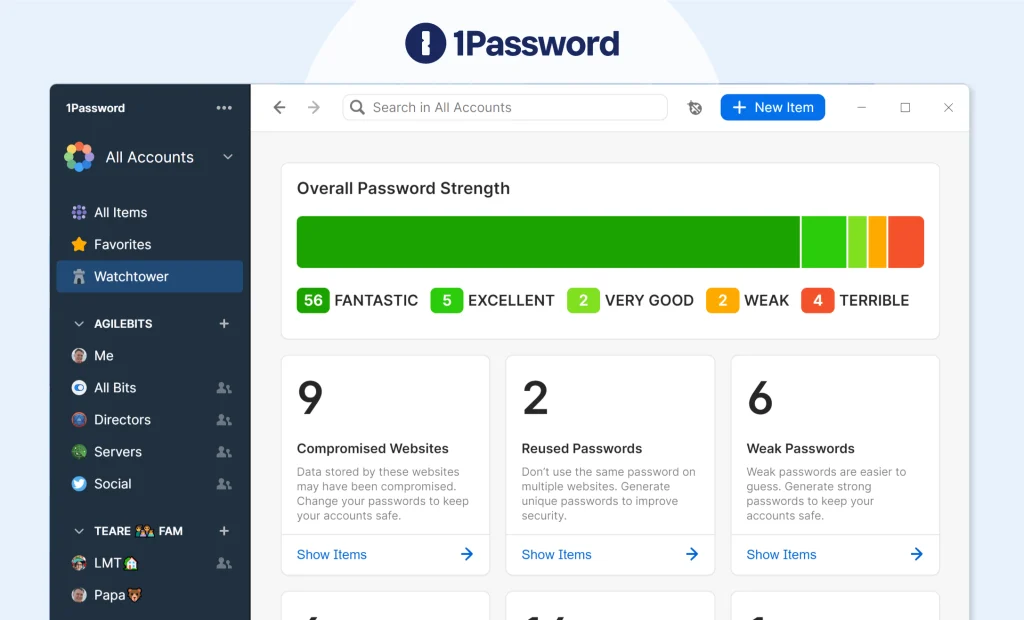
1Password has been around since 2006, and it shows in how mature the product feels. The browser extension works reliably. The mobile apps are fast. The desktop apps don’t feel like afterthoughts.
For remote workers, the standout feature is vaults. You can keep a personal vault completely separate from a work vault, or create shared vaults with clients or collaborators. If you bring on a subcontractor for a project, you can give them access to just the credentials they need, then revoke it cleanly when the project ends. This is something I use constantly and it works exactly how you’d want it to.
Travel mode is unusual and genuinely useful. Before crossing a border, you can mark certain vaults as “safe for travel” and hide the rest. If customs asks you to unlock your device, sensitive client data simply isn’t visible. You can restore everything with a tap once you’re through.
Free plan: No. There’s a 14-day free trial, but no permanent free tier.
Starting price: $2.99/month (billed annually) for individuals. Teams start at $19.95/month for up to 10 users.
Devices: Unlimited devices on all paid plans.
Where it falls short: The price is real. If you’re just starting out as a freelancer and watching every dollar, $36/year feels steep when free options exist. The interface also has a learning curve for people switching from browser-saved passwords. Not difficult, just not instant.
Best for: Established freelancers and remote workers who work across multiple clients and need clean credential separation.
Bitwarden
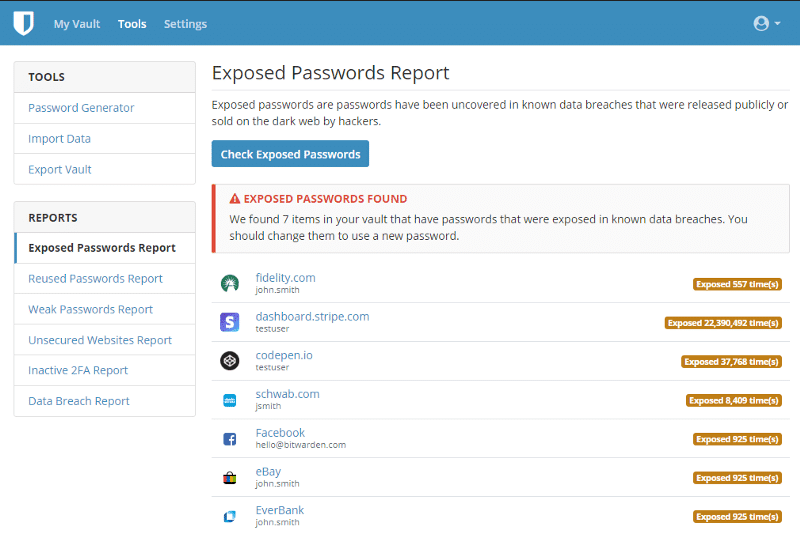
Bitwarden is the honest answer for people who want a capable password manager without paying anything. The free tier is genuinely functional: unlimited passwords, unlimited devices, browser extensions, mobile apps. It’s not a limited trial. It’s the actual product with a few premium features locked behind a very affordable paywall.
The paid upgrade costs $10/year. That’s not a typo. For $10 annually you get encrypted file storage, advanced two-factor authentication options, and the password health reports that tell you which credentials are weak or reused.
Bitwarden is also open source, which matters if you care about auditability. The code is publicly available, independently audited, and the company has a clean security track record.
The catch is that the interface isn’t as polished as 1Password. The desktop app in particular looks like it was designed by engineers for engineers, which it was. Filling passwords works fine, but the experience feels more manual. You’re more likely to notice the friction.
Free plan: Yes, and it’s genuinely usable.
Starting price: $10/year for premium. Teams start at $4/month per user.
Devices: Unlimited on free and paid plans.
Where it falls short: The UX is dated. Auto-fill is less reliable in some browsers and apps compared to 1Password. If you want something that just works without thinking about it, Bitwarden requires a bit more patience.
Best for: Budget-conscious freelancers, technically comfortable users, anyone who wants open-source software and doesn’t mind a clunkier interface.
NordPass
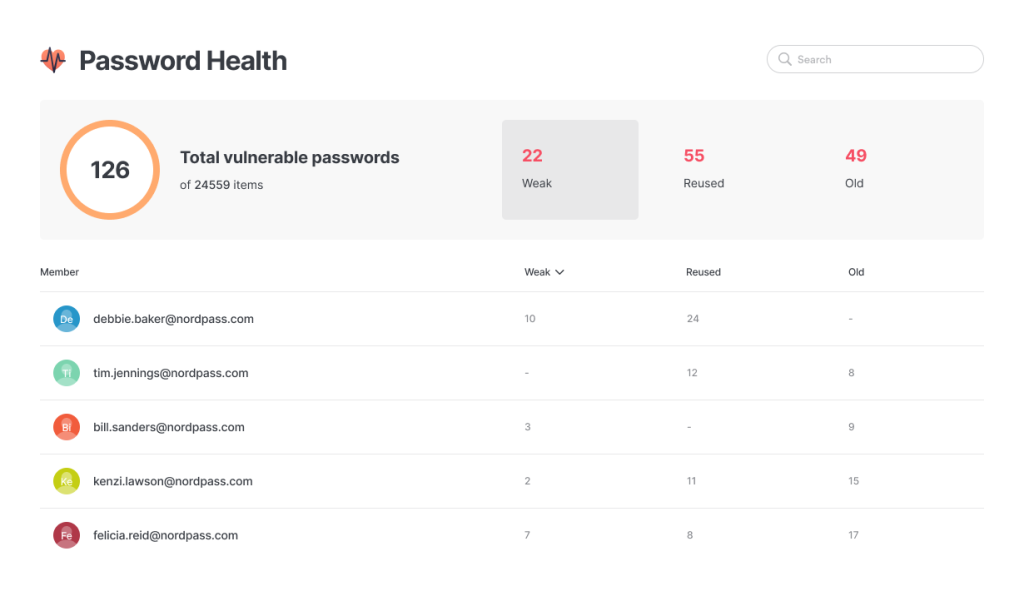
NordPass comes from the same company behind NordVPN. It launched in 2019, so it’s newer than the others, but it’s grown fast and the product is noticeably cleaner than Bitwarden without quite matching 1Password’s depth.
The interface is one of the nicest in this category. Setup takes about ten minutes. The browser extension is smooth, the mobile app is well-designed, and auto-fill works reliably across apps and sites I tested.
NordPass uses XChaCha20 encryption, which is a modern algorithm considered more resistant to certain attack types than the AES-256 standard most competitors use. In practice the security difference is academic for most users, but it’s worth knowing.
The Data Breach Scanner is included in the premium plan and does exactly what it sounds like: it checks your email addresses against known breach databases and flags credentials that have been exposed. For remote workers handling client data, that’s worth having.
Free plan: Yes, but it’s limited to one active device at a time, which makes it frustrating in practice.
Starting price: $1.69/month (billed for two years). Around $2.99/month on annual billing.
Devices: Unlimited devices on premium plans. Free plan restricts you to one active session.
Where it falls short: The free plan’s single-device restriction makes it almost unusable for anyone with a phone and a laptop. The sharing features are less developed than 1Password’s, which matters if you regularly share credentials with clients. It also lacks some of the power-user features, like travel mode, that 1Password offers.
Best for: Remote workers who want a clean, modern interface at a lower price than 1Password, and don’t need heavy team-sharing features.
Dashlane
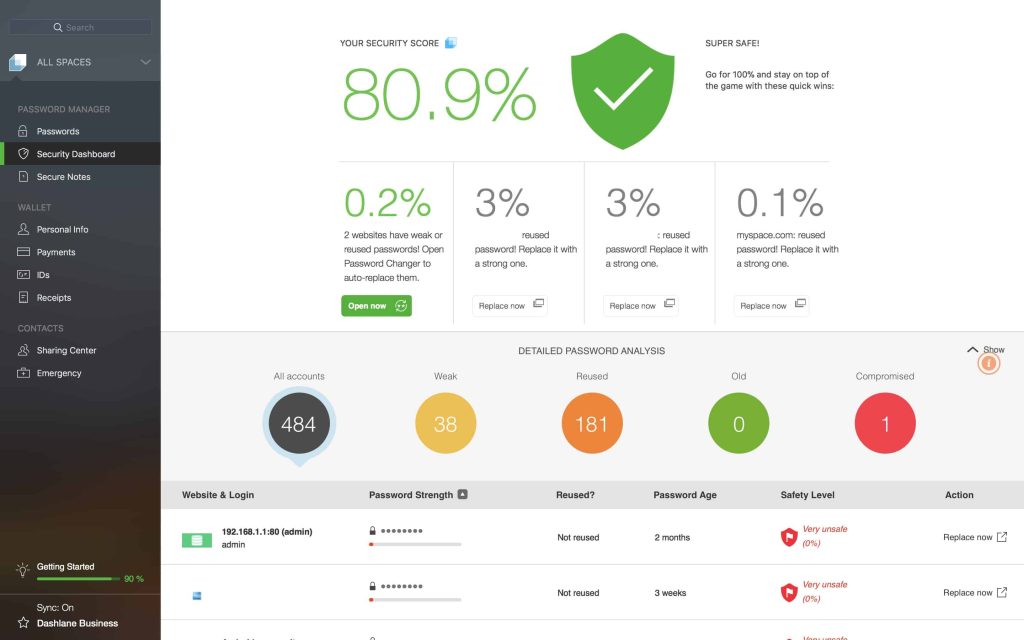
Dashlane has been through some changes. It dropped its desktop app a few years ago to go entirely browser-based, and it recently pulled back its free plan to a single-device limit. The product still works, but it’s moved upmarket in a way that makes it hard to recommend over the others at its price point.
The premium plan runs $4.99/month, which is more expensive than 1Password’s individual tier while offering fewer features that remote workers actually care about. The built-in VPN is bundled in, but if you already use NordVPN or another VPN service , which many remote workers do, you’re paying for something you don’t need.
The phishing protection and dark web monitoring are genuinely useful, and the interface is polished. But at this price, with this feature set, 1Password beats it clearly.
Free plan: Yes, but capped at one device and 25 passwords.
Starting price: $4.99/month billed annually.
Devices: Unlimited on premium.
Where it falls short: Price-to-value is the problem. You’re paying more than 1Password’s individual plan with less to show for it, unless the bundled VPN actively saves you money elsewhere.
Best for: Users who specifically want the VPN bundle and dark web monitoring in one subscription, and don’t already have a VPN.
Comparison table
| Tool | Free plan | Starting price | Devices | Best for |
|---|---|---|---|---|
| 1Password | No (14-day trial) | $2.99/month | Unlimited | Freelancers with multiple clients, travelers |
| Bitwarden | Yes (full featured) | $10/year premium | Unlimited | Budget users, open-source preference |
| NordPass | Yes (1 device limit) | $1.69/month | Unlimited (paid) | Clean interface, budget-conscious solo workers |
| Dashlane | Yes (1 device, 25 passwords) | $4.99/month | Unlimited (paid) | VPN bundlers, dark web monitoring focus |
The clear winner: 1Password
I’ll be direct about this. 1Password is the best password manager for remote workers, and the reason isn’t that it has the most features. It’s that every feature it has actually works without fuss.
The vault system for managing multiple client credentials is something I use every week. The browser extension fills passwords on the first try instead of the third. Travel mode has saved me an awkward conversation at an airport more than once. And the Watchtower feature, which monitors your saved credentials for breaches and flags weak or reused passwords, is visible and easy to act on rather than buried in a settings menu somewhere.
For the price of a coffee each month, that reliability is worth it when your income depends on staying organized and secure across a dozen client environments.
The honest downside: There’s no free plan. If you stop paying, you lose active access to your vault. That’s a real dependency, and you should know it going in. Bitwarden is a legitimate fallback if you want something you can use indefinitely without a subscription. But for day-to-day remote work, 1Password earns the cost.
Ready to sort out your passwords?
If you’re setting up or upgrading your remote work security, start here:
Try 1Password free for 14 days No commitment, enough time to see whether it clicks for you.
If the budget isn’t there right now, NordPass has a low-cost premium plan that covers the basics well.
Either way, get off the recycled-password system. It’s only a matter of time before that catches up with you, and when it does, it won’t be just your accounts at risk.
Affiliate disclosure: This article contains affiliate links. If you click through and purchase, WorkRemote HQ may earn a commission at no extra cost to you. All opinions are based on honest research and assessment.