Best Standing Desk for Home Office Under $400
If your back hurts by 2pm every day, it’s not a coincidence. Sitting for eight or nine hours straight wrecks your posture and leaves you drained before the workday is even over. I know because I spent two years working from a regular desk before finally switching to a standing desk, and the difference was immediate.
The problem is that most of the articles out there push desks that cost $700 or more. That’s a tough sell when you’re a freelancer watching your margins or a remote worker who already spent money setting up a home office. The good news is that you don’t need to spend a fortune. There are good electric standing desks available for under $400, and a couple of decent ones even under $200.
I’ve tested a handful of these and talked to people who use them daily.
What to Look for in a Standing Desk
Skipping this part is how people end up with a desk they hate six months later.
Motor quality. Cheap single-motor desks wobble more and tend to burn out faster. Dual-motor setups cost a bit more but they’re quieter, faster, and more stable. If you’re buying in the $300+ range, look for dual motors.
Height range. Most adults need a desk that goes from around 28 inches (sitting height) up to 47 or 48 inches (standing height). If you’re shorter or taller than average, double-check the specs before ordering.
Weight capacity. A 154-pound weight limit sounds like a lot until you factor in two monitors, a laptop, speakers, a webcam, and all the other stuff that ends up on a desk. Aim for at least 150 lbs, preferably more.
Tabletop size. A 48×24 inch surface is workable, but 60×24 gives you a lot more room. If you run multiple monitors, go as wide as your space allows.
Wobble. This is the one most people don’t think about until it’s too late. At standing height, a wobbly desk is annoying at best and distracting at worst. Read reviews specifically for wobble complaints before committing.
The Best Standing Desks Under $400
Five desks, ordered from cheapest to priciest. One goes over $400, but it comes up in almost every honest conversation about this category, so I’ve included it.
1. SHW Electric Height Adjustable Desk (Entry-Level Pick)
Price range: $150-180
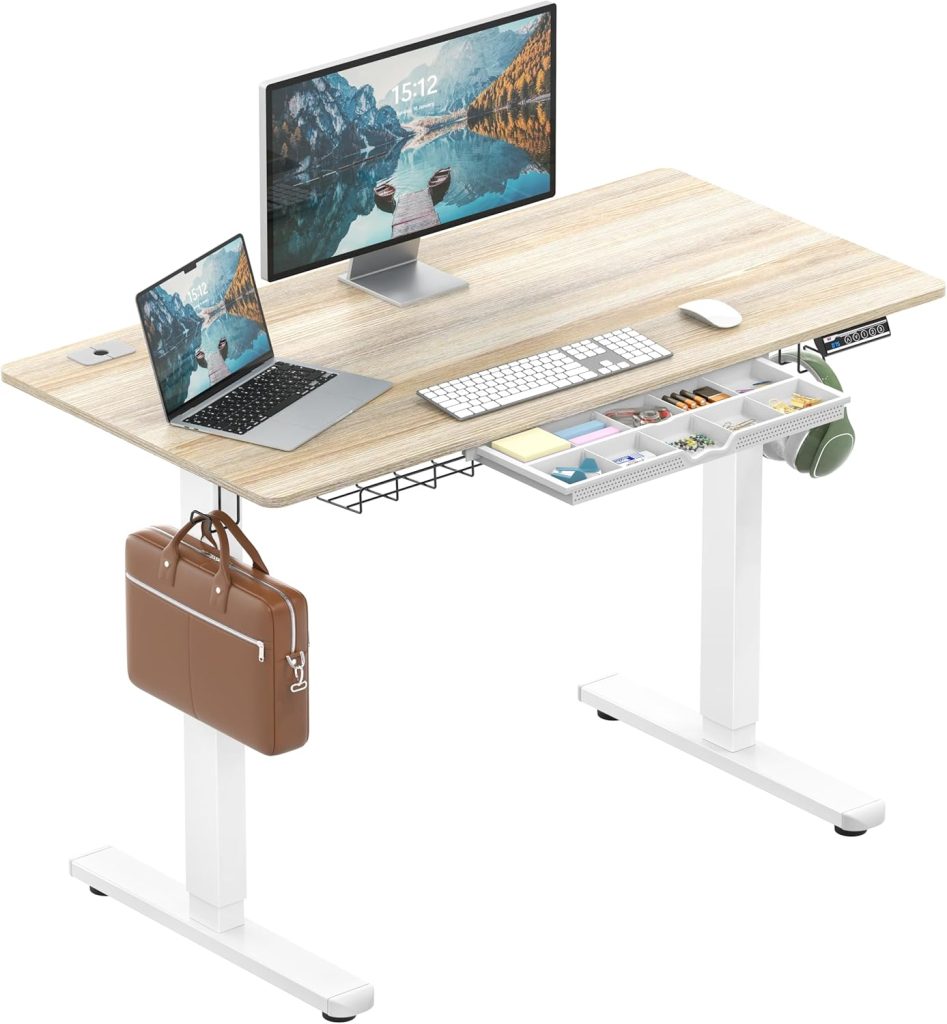
If you’re dipping your toes in and don’t want to spend much, the SHW Electric gets the job done. It’s a single-motor desk that adjusts quietly enough, comes in a few size options, and has a clean look that fits most home office setups. Assembly takes about 45 minutes.
The tradeoffs are real, though. The surface feels a bit thin, the height memory function only stores two presets, and at standing height you’ll notice some wobble if your desktop is loaded up. It’s fine for a laptop and a single monitor. Not ideal for a full dual-monitor rig.
Pros:
- Very affordable entry point
- Easy assembly
- Decent motor noise level
Cons:
- Single motor means more wobble
- Thinner tabletop material
- Only two memory presets
Best for: Remote workers on a tight budget who primarily use a laptop or single monitor setup.
2. VIVO Electric Standing Desk (Value Pick)
Price range: $180-220
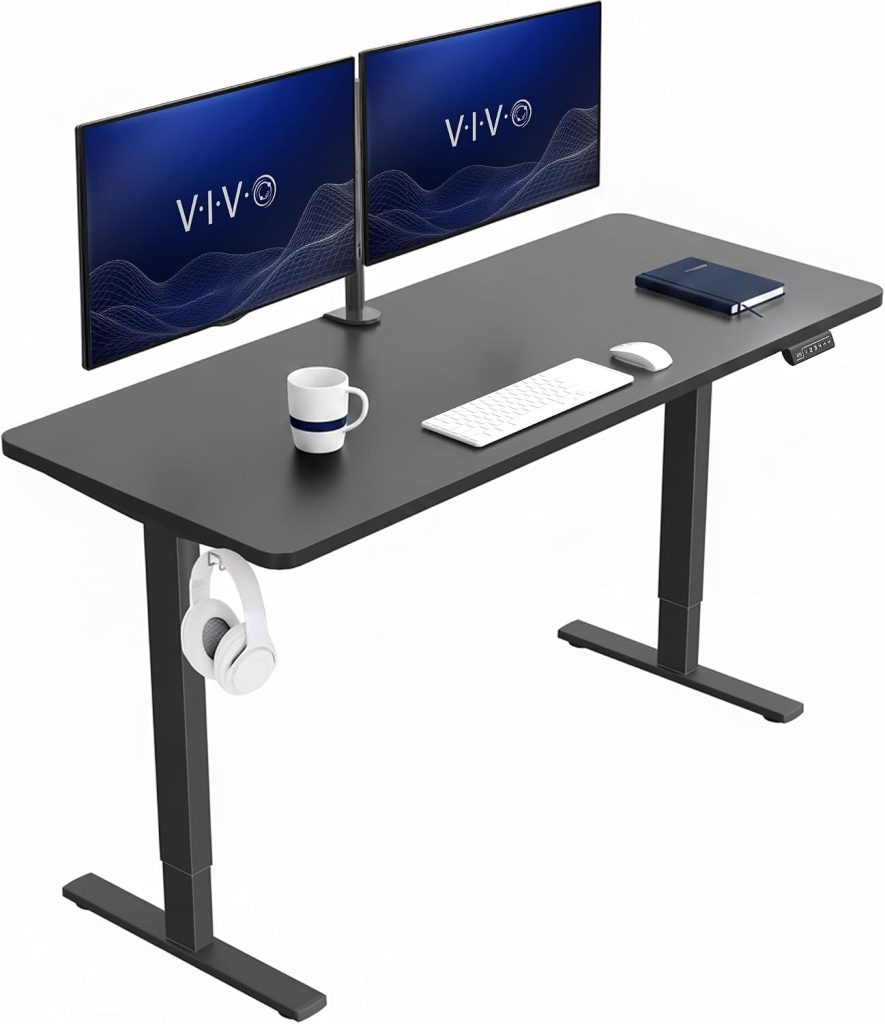
VIVO has been making office furniture for years and they’ve got the budget standing desk market pretty well figured out. This model is a single-motor electric desk that punches above its price point. The frame is sturdier than you’d expect, and it has a decent height range that works for most people in the 5’2″ to 6’2″ range.
What I like about VIVO is that the company actually supports their products. Replacement parts are available, customer service responds, and the warranty is reasonable for the price. A lot of budget desk brands don’t offer much of that.
The wobble issue still exists at this price point. It’s better than the SHW, but it’s not gone. If you’re typing lightly and your setup isn’t too heavy, it’s manageable. If you’re a heavy typer with two monitors and a bunch of peripherals, you might feel it.
Pros:
- Sturdy frame for the price
- Good height range
- Better brand support than most budget options
- Multiple size and color options
Cons:
- Single motor wobble at standing height
- Motor can be slow compared to pricier desks
- Basic control panel
Best for: Freelancers who want a reliable starter desk without spending more than $220.
3. Flexispot 63″ Dual Motor Standing Desk (Budget Sweet Spot)
Price range: $200-210
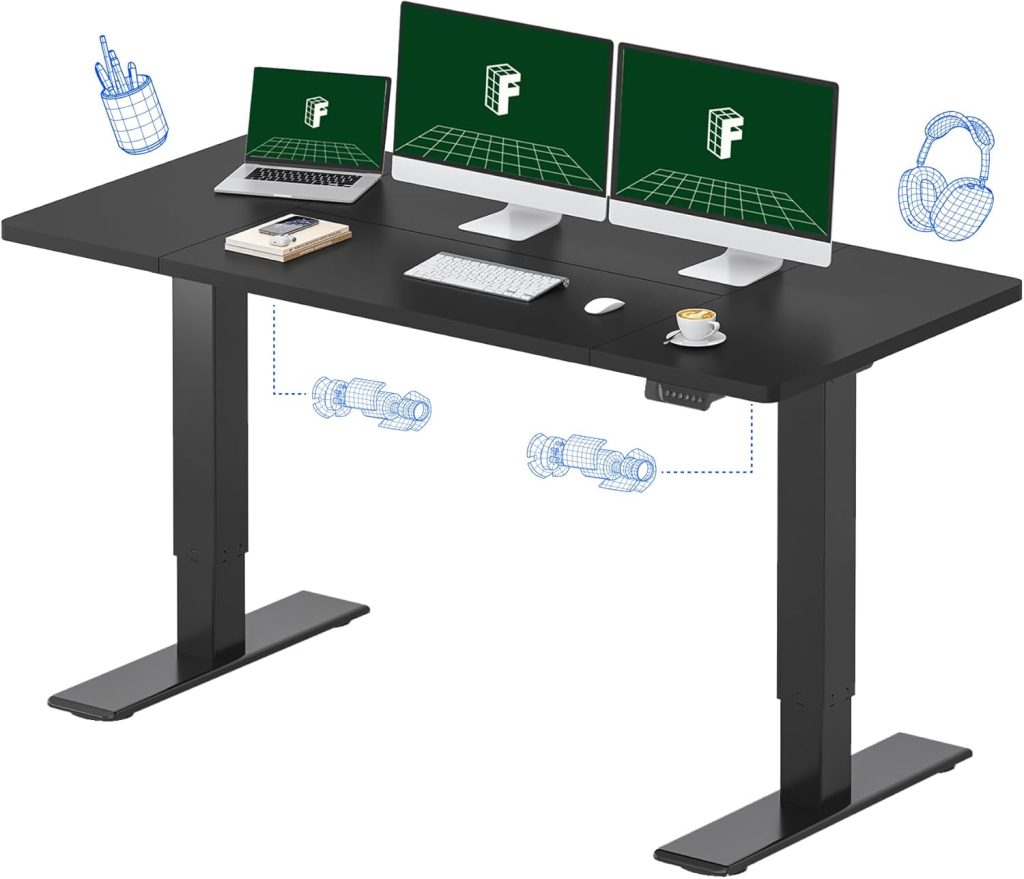
This Flexispot 63-inch desk is probably the easiest recommendation on this list for anyone who wants a dual-motor desk without spending $300. It’s a dual-motor setup at a price point where most competitors are still using single motors, and that difference shows up immediately in stability and lift speed. The larger 63×28 inch surface also gives you real room to work with, more than enough for two monitors and a laptop.
The frame carries a 198 lb weight capacity, well above what most budget desks offer. Lift is smooth and quiet, and the tabletop options are a step up from entry-level desks in this price range.
The control panel is basic and the tabletop material isn’t as nice as what you’d get on a premium desk. But at right around $209, it’s hard to argue with. It’s the desk I’d recommend to most people who ask me where to start.
Pros:
- Dual motors at an affordable price
- Large 63×28 inch surface
- 198 lb weight capacity
- Quiet and stable lift
Cons:
- Control panel feels basic
- Tabletop material is decent but not premium
- Assembly takes a while
Best for: Anyone who wants a dual-motor desk with a large surface without crossing $210. This is the one I’d buy first.
4. Fezibo 71″ Standing Desk with Dual-Beam and Cable Management (Mid-Range Sweet Spot)
Price range: $340-360
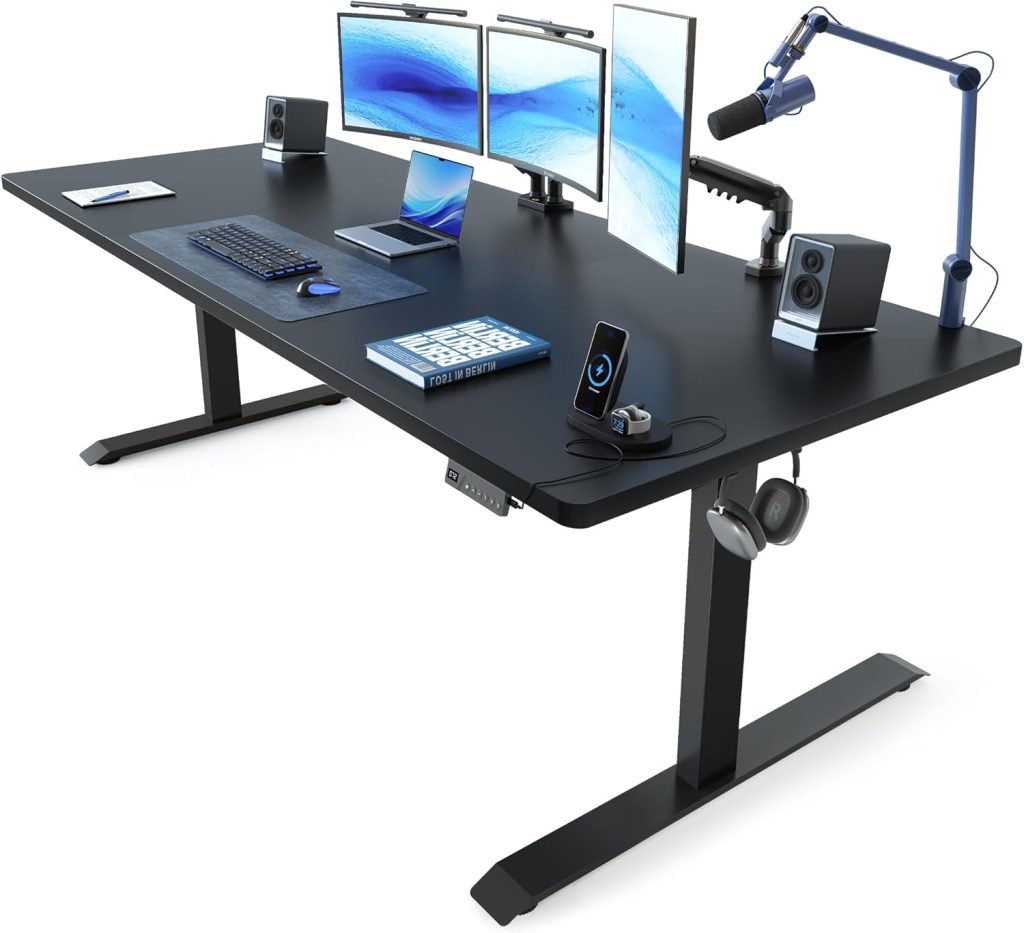
If you can stretch your budget to the $350 range, this Fezibo 71-inch desk is a meaningful step up from the budget pick above. The 71×37 inch desktop is massive, giving you room for a full multi-monitor setup, a laptop, and everything else that ends up on a desk, without anything crowding. The integrated dual-beam frame adds real stability at standing height, and the built-in cable management keeps things looking clean instead of a tangle of cords hanging off the back.
It comes with 3 memory height presets, a thick 1-inch three-piece desktop, and noticeably reduced wobble compared to the smaller budget desks in this category.
For people running a full home office setup with two monitors and a desktop tower, this desk makes more sense than the smaller budget pick. The extra desktop space and cable management are worth the price bump once you load the desk up with gear.
Pros:
- Massive 71×37 inch desktop
- Integrated dual-beam frame for stability
- Built-in cable management
- 3 memory height presets
- Thick 1-inch three-piece desktop
Cons:
- Costs more than the smaller budget pick, obviously
- Still not at the level of true premium desks
- Takes time to assemble
Best for: Remote workers with a full desktop setup, multiple monitors, or anyone who wants maximum desk surface without going over $400.
5. FLEXISPOT E6 Pro Bamboo Standing Desk (Stretch Pick, Worth Knowing About)
Price range: $540-560
Okay, this one is over $400. I’m including it anyway because it’s a real step up from everything else on this list, and if you can stretch the budget, it’s worth knowing what you’re getting.
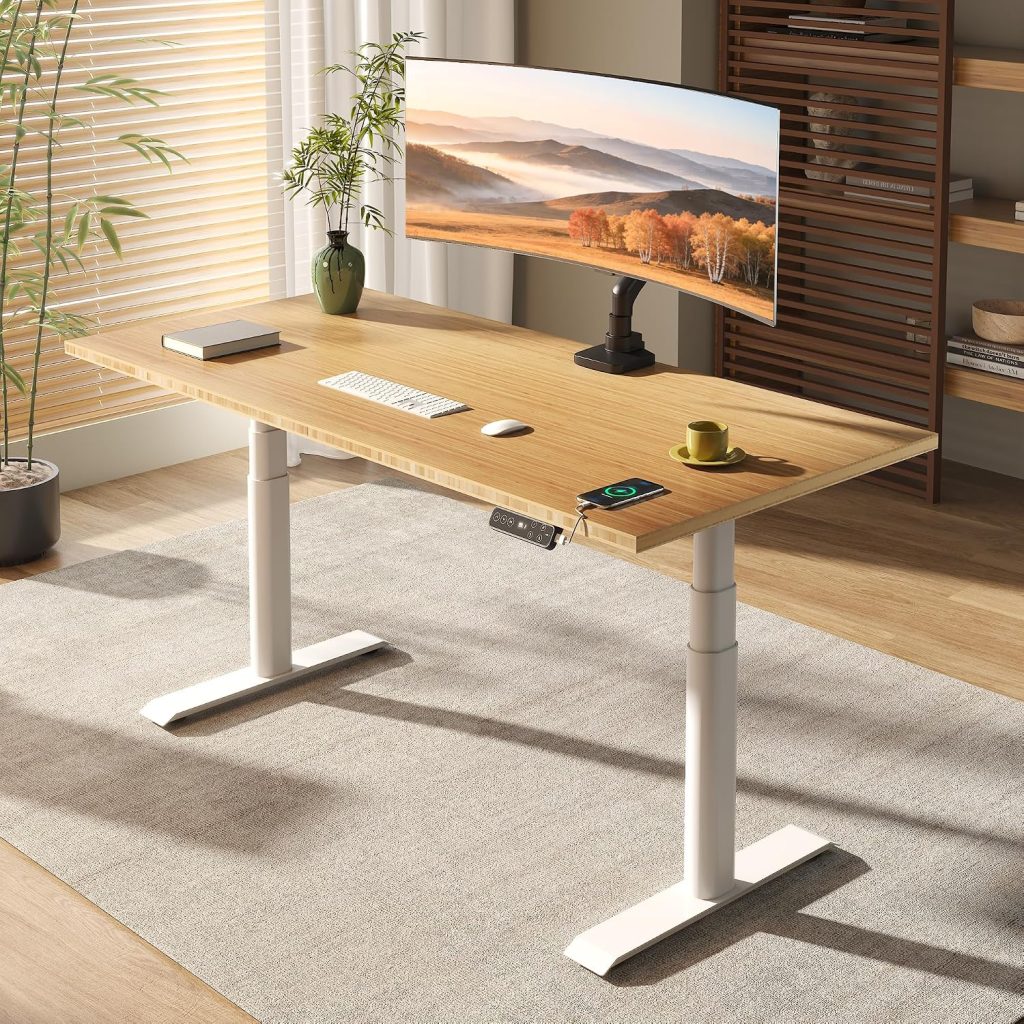
The FLEXISPOT E6 Pro is a genuinely premium desk. It’s a large 60×30 inch surface with a real bamboo desktop, which looks and feels a step above the laminate tops on the cheaper picks in this article. The frame uses a dual motor with 3-stage height adjustment, and the weight capacity is rated at 330 lbs, well beyond what any of the budget or mid-range desks here offer.
If you’re freelancing full-time and your desk is basically your office, the E6 Pro is worth saving up for. The build quality and desktop material mean you’re less likely to want to upgrade again in a couple of years. That’s a different calculation than any of the under-$400 picks.
Pros:
- Real bamboo desktop, not laminate
- 330 lb weight capacity
- Large 60×30 inch surface
- Dual motor, 3-stage height adjustment
Cons:
- Noticeably over the $400 target
- Bamboo desktop adds weight compared to laminate options
- Overkill for light users
Best for: Full-time freelancers or remote workers who want a heavier-duty desk with a premium desktop material and don’t mind spending more to get it.
Which One Should You Get?
Under $200: Go with the VIVO Electric. It’s a better long-term bet than the SHW, and the brand support is actually there if something goes wrong.
$200-210: The Flexispot 63″ Dual Motor desk is the answer for almost everyone in this range. Dual motors, large surface, good stability. Buy it.
$340-360: Get the Fezibo 71″ desk. The extra desktop space and cable management are worth the price bump, especially if you’re setting up a full workstation.
Willing to spend more: Save up and get the FLEXISPOT E6 Pro. You buy it once and stop thinking about it.
If you’re buying your first standing desk and you’re not sure whether you’ll actually use it, start with the VIVO or the Flexispot 63″ Dual Motor desk. You don’t need to spend $400 to find out if standing while you work is something you want to do. Start small, see if it clicks, then upgrade later if you want to.
Final Thoughts
A standing desk won’t fix everything. If you’re burned out or just grinding through a rough stretch, no piece of furniture is going to solve that. But if you’re dealing with back pain or afternoon energy crashes, switching to a sit-stand setup helps. I’ve seen it make a real difference, including for myself.
These are real products at honest prices. None of them are perfect. You don’t need to spend $700 to get a good standing desk.
Pick the one that fits your budget, order it, and just start using it. That’s really all there is to it.