I spent about three months on back-to-back client calls looking like I was being interrogated in a basement. Overhead light, one dim floor lamp behind me, and a laptop camera that made every shadow under my eyes look like a bruise. Nobody said anything, but I could see it in my own thumbnail on every call, and it bugged me enough that I finally bought a proper light.
Here’s the thing nobody tells you when setting up a home office: camera and microphone quality barely matter if the lighting is bad. A decent light makes a $30 webcam look better than a $200 one pointed at a dark window. It’s the cheapest upgrade for how you show up on screen, and usually the last one people think of.
Quick verdict: If you just want one light and don’t want to think about it, get the Honeywell Sunturalux LED Desk Lamp with USB Charging Ports. It’s cheap, adjustable, and does the job. If you’re on video calls all day for work and want it to look professional, spend the extra money on the Elgato Key Light Neo. I use both, one for desk work and one for calls, and honestly the Elgato is the one I’d replace first if it broke.
What to look for in desk lighting
Brightness matters, but not in the way you’d think. Manufacturers list lumens, but more isn’t always better, since a harsh, overly bright light in your face looks worse than a dimmer, diffused one. What you want is adjustable brightness so you can dial it down on a call versus cranking it up for reading paperwork. Look for a range, not just a max number.
Color temperature adjustability is the thing people skip and regret. Lights are measured in Kelvin, with lower numbers (2700-3000K) giving a warm, yellowish glow and higher numbers (5000-6500K) giving a cooler, daylight look. A lamp stuck at one temperature clashes with your monitor’s white balance or your webcam’s auto white balance, giving you an orange or blue tint that makes people ask if you’re feeling okay. A light that slides between warm and cool, ideally around 4000-5000K for calls, fixes this without touching your camera settings.
Glare on your monitor is the other thing nobody warns you about. A light sitting directly behind your screen or reflecting off a glossy bezel creates a hotspot in your webcam feed, or has you squinting at your own screen while talking. Position the light off to the side, angled toward your face rather than at your monitor, or use one with a diffuser panel that spreads the beam instead of aiming it like a spotlight.
Positioning matters more than the light itself. The most expensive light in the world looks bad pointed up at your chin like a campfire story. You want it slightly above eye level and off to one side, roughly a 45 degree angle from your face, filling in shadows instead of flattening your face into a pancake. Several products below come with clamps or stands so you can get the height right instead of relying on whatever your desk surface gives you.
The 5 lights I’d actually recommend
1. Honeywell Sunturalux LED Desk Lamp with USB Charging Ports
Price: $35.99 — Check price on Amazon
This is the lamp I bought first, cheap and well reviewed, and it’s stuck around longer than I expected. It’s a gooseneck-style desk lamp with adjustable color temperature modes from warm white to daylight, stepless dimming on a touch panel base, and built-in USB charging ports for topping off a phone during a long call.
For calls I keep mine on a cooler setting at maybe 60% brightness, angled from the side of my monitor. It won’t give you a soft ring light look, but it clears out shadows and keeps the camera from guessing at exposure. The light isn’t diffused, so too close or too high and it looks harsher than a frosted panel would.
Pros
– Very affordable for a fully adjustable lamp
– Stepless color temperature and brightness dimming
– USB charging ports built into the base
– Foldable design saves desk space when not in use
Cons
– Light isn’t diffused, so it can look a bit harsh up close
– Clamp/gooseneck design takes desk space rather than mounting to a monitor
– Touch controls can be finicky with the lamp on lower brightness
Best for: anyone who wants one lamp for both desk work and calls without spending much.
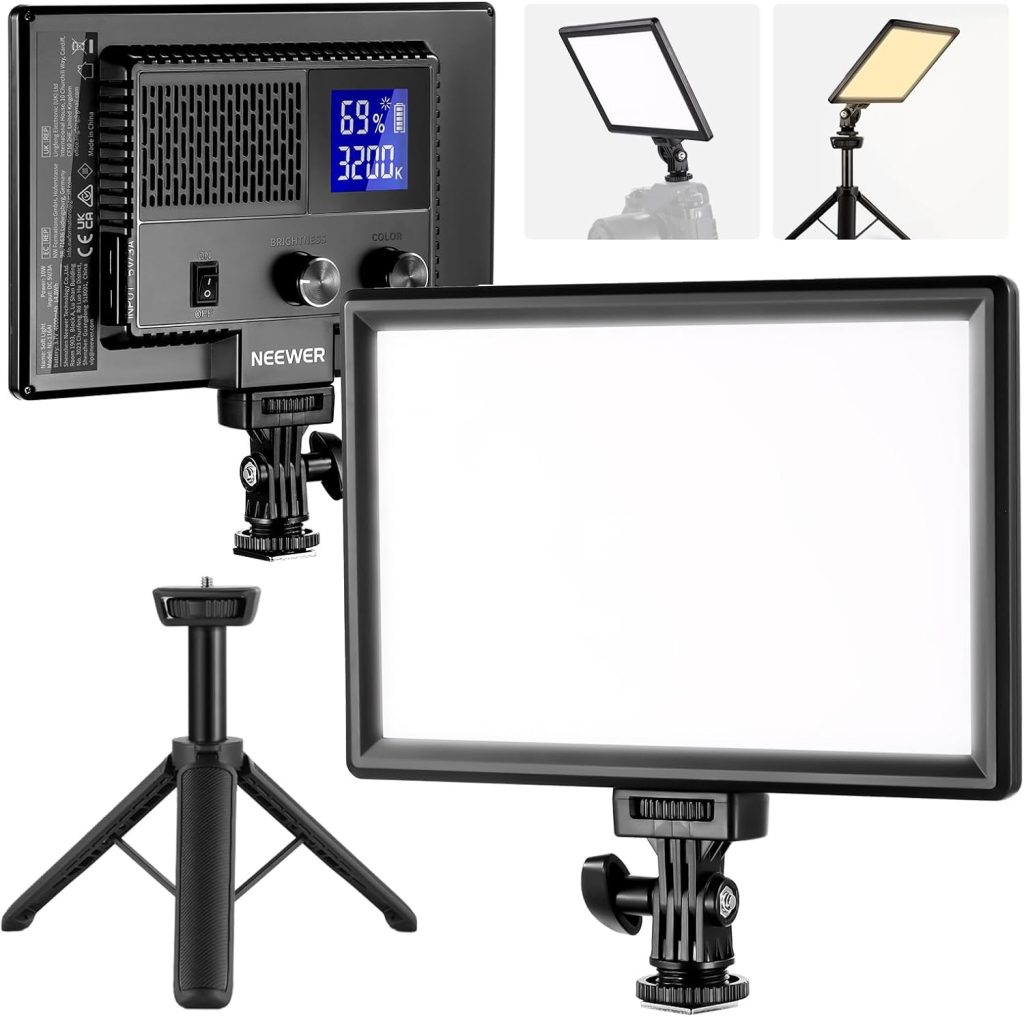
2. Neewer LED Video Light Panel with Tripod Stand
Price: $49.99 — Check price on Amazon
This one’s technically made for content creators shooting video, but it works just as well for calls that need to look intentional instead of accidental. It’s a small LED panel, roughly the size of a hardback book, on an adjustable tripod you set beside or slightly behind your monitor. Brightness and color temperature adjust with dials on the back, and the light is diffused, so you skip the harsh single-point shadow a bare bulb gives you.
Coworkers who do a lot of client-facing calls tell me it’s the first light that made a visible difference in a before-and-after screenshot. Since it sits on its own stand rather than clamping to the desk, you get more flexibility in placement, useful if your desk is already crowded. The tripod is fine but not great, stable enough for a light panel this size but not built for anything heavier. It runs on battery or plug power, though the battery drains faster than expected over a full workday.
Pros
– Genuinely diffused, soft output rather than a harsh point source
– Comes with its own tripod, so it’s not fighting for desk space
– Runs on battery or plugged in
– Noticeable improvement in how you look on camera compared to overhead light
Cons
– Tripod is basic and won’t support heavier gear later
– Battery life is shorter than expected under continuous use
– Slightly more setup than a plug-and-go desk lamp
Best for: People whose desk is already cluttered and need a light that lives on its own stand instead of clamping onto furniture.
3. Lume Cube Broadcast Lighting Kit
Price: $69.99 — Check price on Amazon
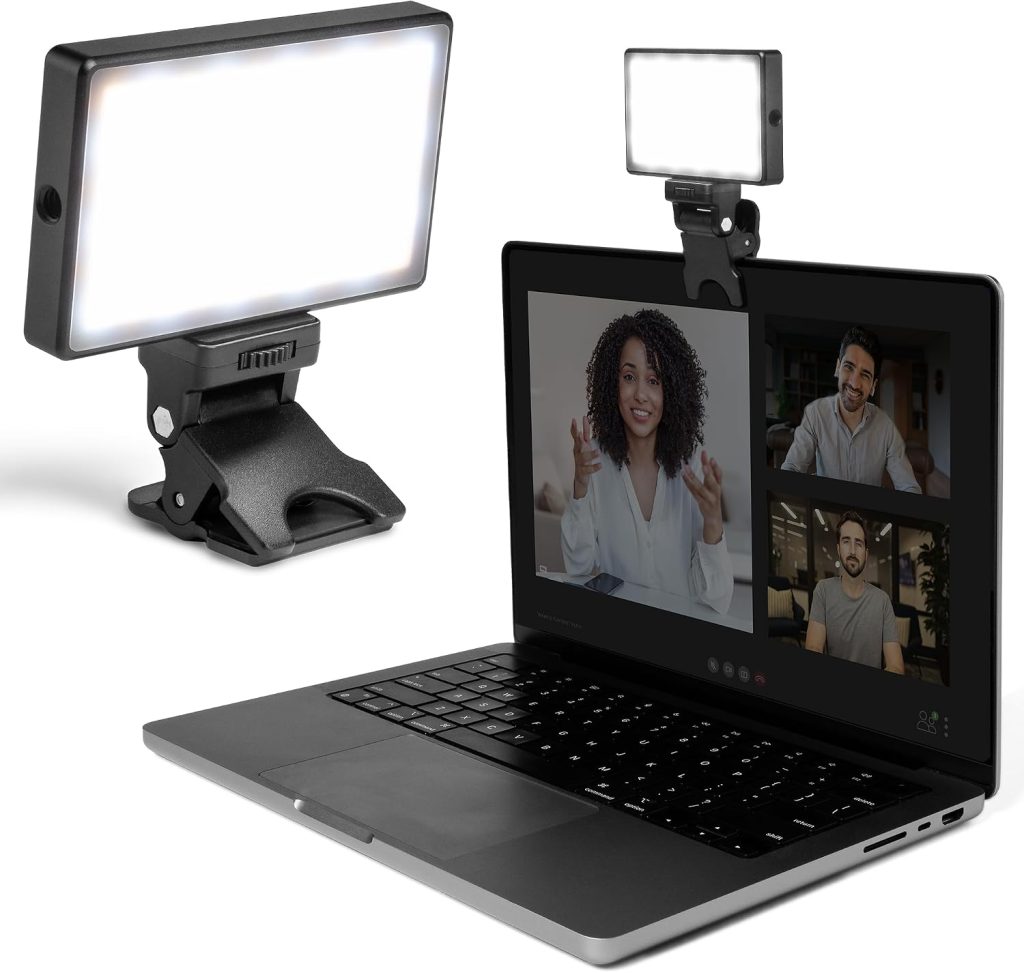
Lume Cube built its name on lighting for phones and action cameras, and this broadcast kit answers the work-from-home lighting boom. It’s a compact LED cube, small enough for a shelf or a monitor arm clamp, with Bluetooth app control so you adjust brightness and temperature from your phone instead of fumbling with buttons mid-call.
What sold me on this one is the build quality. It doesn’t feel like a lamp with lighting features bolted on, it feels like gear designed around being a light first. Output is even, diffusion is good, and skin tones look normal rather than slightly green or orange, a real problem with cheaper panels. It’s smaller than the Neewer panel, good for desk space but meaning less spread, so positioning matters more. Put it too far away and you lose most of the benefit, and some kit versions skip a proper stand, so budget for a small tripod or clamp mount.
Pros
– Bluetooth app control for adjusting on the fly
– Compact size fits on shelves or monitor arms
– Even output with accurate skin tone rendering
– Feels like genuine broadcast gear, not a repurposed desk lamp
Cons
– Smaller light throw means positioning is less forgiving
– Some kit versions don’t include a stand or clamp
– Pricier than lamps with similar specs on paper
Best for: Anyone who wants to control their lighting from their phone mid-call instead of getting up to adjust a dial.
4. BenQ ScreenBar Halo
Price: $109.00 — Check price on Amazon
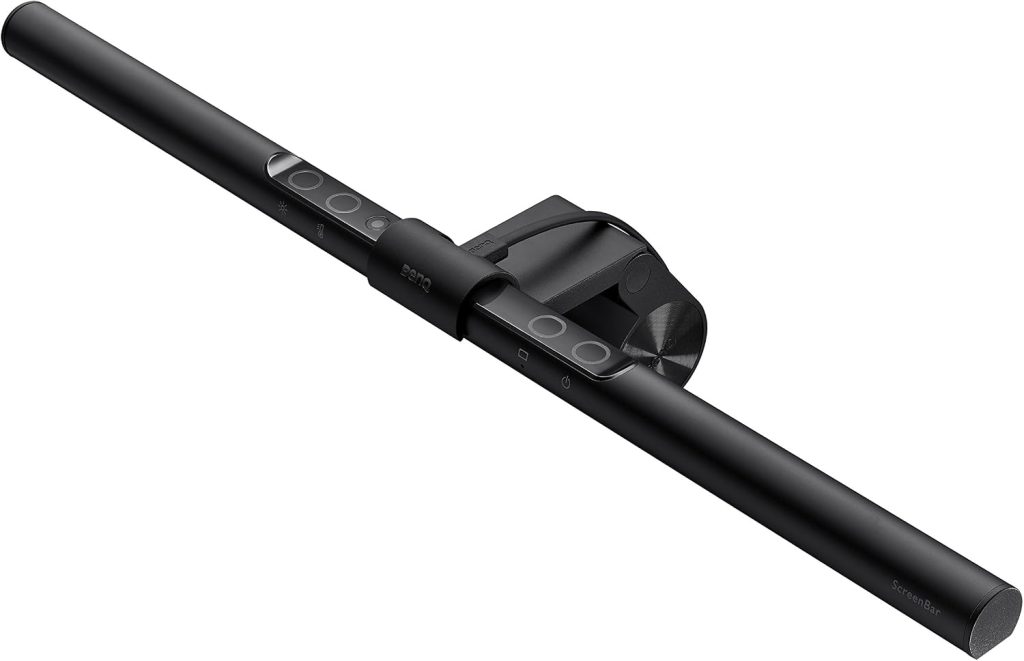
This one runs at the top of the budget range, and it’s a different kind of product entirely. Instead of sitting on your desk or a stand, it clips onto the top of your monitor and shines down without a bulky base taking up space. BenQ makes monitors, so they designed this specifically to solve the monitor glare that plain desk lamps cause, and it works. Light coming from above your screen angled down means no glare bouncing into your eyes or your webcam.
The Halo version adds a wireless controller for adjusting brightness and temperature without reaching up, plus a backlight option that lights the wall behind your monitor, cutting eye strain in a dim room. For someone on calls six or more hours a day, that backlight makes a real difference. It’s the priciest item here and only works if your monitor has a compatible top edge for clamping. Ultrawide curved monitors and some all-in-ones don’t clamp well, so check bezel thickness before buying.
Pros
– No desk space used at all, clips onto the monitor
– Eliminates monitor glare that other desk lamps can cause
– Wireless controller for adjusting without reaching up
– Optional backlight reduces eye strain in dim rooms
Cons
– Requires a compatible monitor bezel to clamp onto
– Most expensive option here
– Not useful if you use a laptop screen without an external monitor
Best for: Someone with a compatible external monitor who wants zero desk footprint and no glare, and is willing to pay for it.
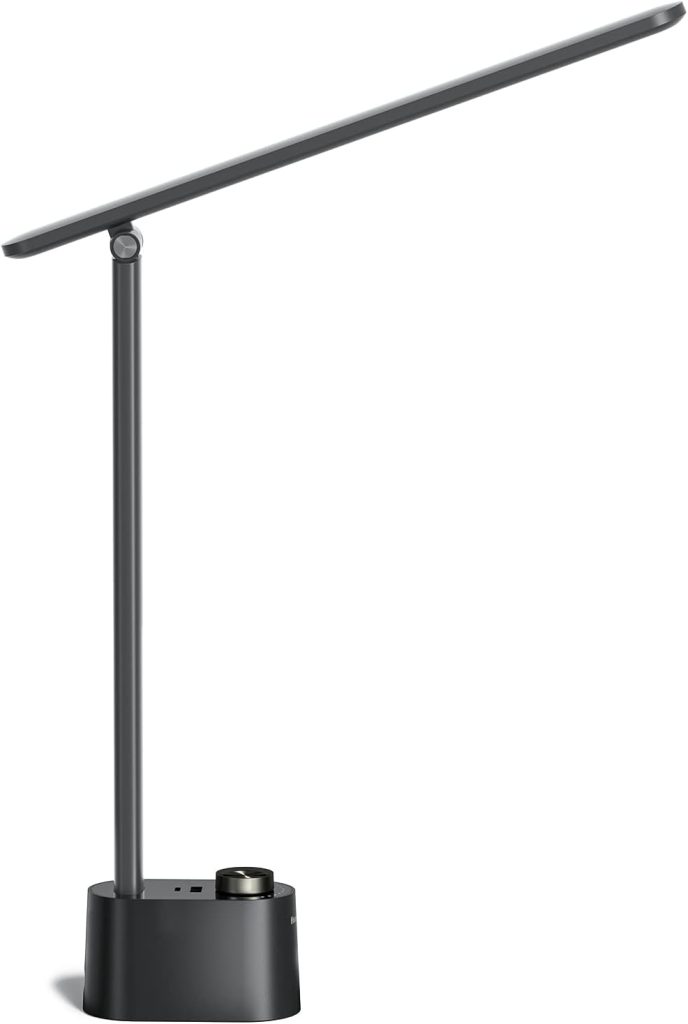
5. Elgato Key Light Neo
Price: $89.99 — Check price on Amazon
If you’ve watched a streamer or seen a polished corporate video call background, there’s a decent chance an Elgato Key Light is involved. The Neo is the compact, edge-lit sibling to the full-size Key Light, and it still puts out a genuinely soft, glare-free light across a wide area, more like a photography softbox than a desk lamp. It mounts directly to your monitor with an included mount, controlled entirely through an app.
What makes this worth the price is how forgiving it is. Because the light spreads across an edge-lit panel rather than a small point source, you don’t have to be precise about positioning, which matters if you’re not going to fiddle with angles every morning. I’ve used the full-size Key Light in a coworking space and the Neo at home, and the difference for video calls is basically nothing. The app control is genuinely good, but the light needs WiFi, so network issues become light issues. The monitor mount is effortless to attach, but it does mean this one’s built for external monitors, not laptop screens alone.
Pros
– Wide, soft output that’s forgiving on positioning
– Excellent app-based control of brightness and temperature
– Effortless monitor mount, no clamp needed
– Compact enough not to dominate the desk
Cons
– Needs WiFi, so network issues become light issues
– Built for mounting to an external monitor, not a laptop screen alone
– Costs close to the same as the full-size version
Best for: People who want the closest thing to professional studio lighting without learning studio lighting.
Which one should you get
If you’re just trying to stop looking like you’re on a hostage call and don’t want to spend much, the Honeywell Sunturalux lamp gets you most of the way there for under $36. If your desk is cluttered and you need a light that doesn’t need clamp space, go with the Neewer panel on its own stand. If you want app control and don’t mind a smaller footprint, the Lume Cube is worth the jump in price. If you’re already all-in on your home office and want something that disappears into your monitor with almost no visible footprint, the BenQ ScreenBar Halo and the Elgato Key Light Neo are both worth it, the BenQ winning on desk space and the Elgato winning on how forgiving the light spread is.
Buy based on your desk setup, not just the spec sheet. A $30 lamp positioned correctly beats a $100 light aimed straight at your forehead.
Final thoughts
The lighting upgrade is one of those things that feels unnecessary until you do it, and then you wonder why you waited. It’s not about vanity, it’s about not making people squint at a dark, grainy version of you for an hour-long meeting. Every product here solves the same problem in a different way, and the right pick comes down to your desk, your monitor, and how much fiddling you’re willing to do before every call.
I went from a single overhead bulb to the setup described above over about six months, buying one piece at a time as the old solution annoyed me enough to fix it. You don’t need to buy all five. Pick the one that matches your desk and budget, get it positioned right the first time, and you’ll stop thinking about it entirely, which is really the goal.
Affiliate disclosure: This article contains affiliate links. If you click through and purchase, WorkRemote HQ may earn a commission at no extra cost to you. All opinions are based on honest research and assessment.